|
HAProxy : HTTP Load Balancing
2016/01/07 |
|
Install HAProxy to configure Load Balancing Server.
This example based on the environment like follows.
       |
-------+-----------------------------------------------
       |
       +-------------------+--------------------+
       |10.0.0.30          |10.0.0.31           |10.0.0.32
 +-----+-----+     +-------+------+     +-------+------+
 | Frontend  |     |   Backend#1  |     |   Backend#2  |
 |  HAProxy  |     |  Web Server  |     |  Web Server  |
 +-----------+     +--------------+     +--------------+
|
|
Configure Servers that HTTP connections to HAProxy Server are forwarded to backend Web Servers.
|
|
| [1] | Install HAProxy. |
|
root@dlp:~# apt-get -y install haproxy
|
| [2] | Configure HAProxy. |
|
root@dlp:~# mv /etc/haproxy/haproxy.cfg /etc/haproxy/haproxy.cfg.org
root@dlp:~#
vi /etc/haproxy/haproxy.cfg # create new global # for logging section
    log         127.0.0.1 local2 info
    chroot      /var/lib/haproxy
    pidfile     /var/run/haproxy.pid
# max per-process number of connections
maxconn 256
# process' user and group
    user        haproxy
    group       haproxy
# makes the process fork into background
    daemon

defaults
# running mode
mode http
# use global settings
log global
# get HTTP request log
option httplog
# timeout if backends do not reply
timeout connect 10s
# timeout on client side
timeout client 30s
# timeout on server side
timeout server 30s
# define frontend ( set any name for "http-in" section ) frontend http-in # listen 80
bind *:80
# set default backend
default_backend backend_servers
# send X-Forwarded-For header
option forwardfor
# define backend backend backend_servers # balance with roundrobin
balance roundrobin
# define backend servers
    server             www01 10.0.0.51:80 check
    server             www02 10.0.0.52:80 check
sed -i -e "s/^ENABLED=0/ENABLED=1/g" /etc/default/haproxy root@dlp:~# /etc/init.d/haproxy start * Starting haproxy haproxy ...done. |
| [3] | Configure Rsyslog to get logs for HAProxy. |
|
root@dlp:~#
vi /etc/rsyslog.conf # line 18,19: uncomment, line 17: add $ModLoad imudp $UDPServerRun 514
$AllowedSender UDP, 127.0.0.1
root@dlp:~#
vi /etc/rsyslog.d/50-default.conf # line 9: change and add like follows *.*;auth,authpriv.none;local2.none -/var/log/syslog local2.* /var/log/haproxy.logroot@dlp:~# initctl restart rsyslog |
| [4] | Change Apache2 settings on Backends to logging X-Forwarded-For header. |
|
root@node01:~# a2enmod remoteip Enabling module remoteip. To activate the new configuration, you need to run: service apache2 restart
root@node01:~#
vi /etc/apache2/apache2.conf # line 206-209: change like follows # specify HAProxy server's IP address for RemoteIPInternalProxy
RemoteIPHeader X-Forwarded-For RemoteIPInternalProxy 10.0.0.30 LogFormat "%v:%p %a %l %u %t \"%r\" %>s %O \"%{Referer}i\" \"%{User-Agent}i\"" vhost_combinedLogFormat " %a %l %u %t \"%r\" %>s %O \"%{Referer}i\" \"%{User-Agent}i\"" combined
/etc/init.d/apache2 restart * Restarting web server apache2 ...done. |
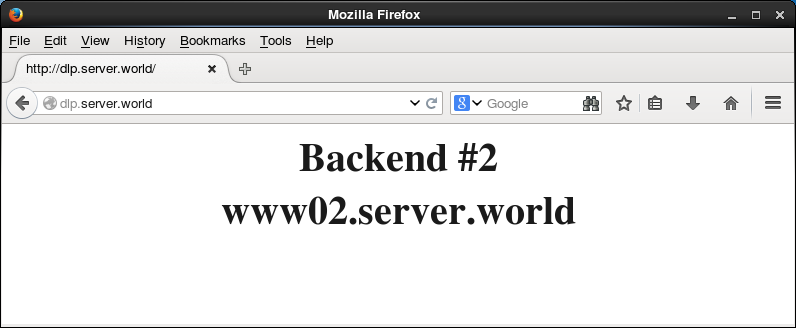
| [5] | Make sure it works fine to access to the frontend server from a Client with HTTP like follows. |

|
|